The back office: why our admin tool can barely do anything
At first, the only way to act on an abuse report was raw SQL on the live database. So we built a proper tool early — and made it deliberately limited.
Every software company reaches the same uncomfortable moment. Something goes wrong — a report, a mistake, a bad actor — and you realise the only tool you have for fixing it is a database console and a steady hand.
Ours arrived with abuse reports.
The problem under the promise
We publish an acceptable use policy, and it makes a promise: report a document that breaks the rules and we will act on it. That’s the right promise to make. It’s also a cheque your tooling has to cash.
And the only way to cash it was to open a database client, point it at the production database — the live one, serving every customer — and type the fix out by hand. Find the offending document. Delete the right row. Don’t delete the wrong one.
That is one mistyped line away from a genuinely terrible afternoon. There was no undo, no guardrail, and — worse — no record. Nobody could later say who had done what, or why. It worked, in the way that a chainsaw with no guard works. Right up until it doesn’t.
What we built
So we built a back office: a small, staff-only application for the handful of things an abuse review or a support case actually requires. Look up a reported document. Take it down. Deal with the account behind it. Leave a trail.
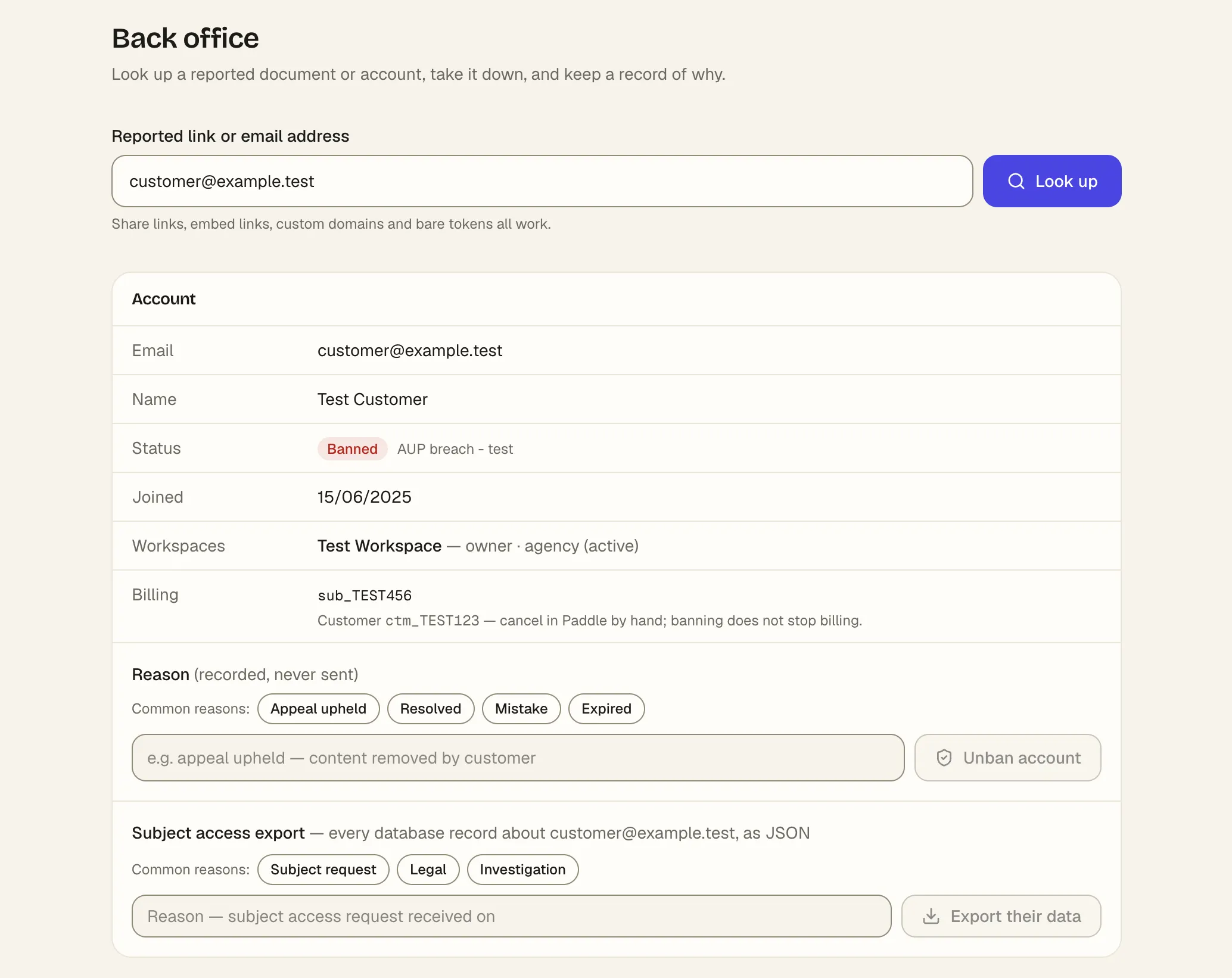
Nothing exotic. The interesting decisions were all about what we wouldn’t let it do.
The design obsession: make it separate, and make it small
The tempting way to build an admin tool is to bolt a “god mode” onto the app you already have — a staff flag, a few privileged screens, done. We deliberately didn’t, for two reasons.
It’s a separate application. The back office shares almost nothing with the software that serves your documents. That isolation is the point: a bug in an internal tool should never be able to slow down, break, or take down anything a customer touches — and the surest way to guarantee that is for the two to not run in the same place at all. Ops tooling is, by nature, written quickly and used rarely. That’s exactly the code you don’t want anywhere near your customer traffic.
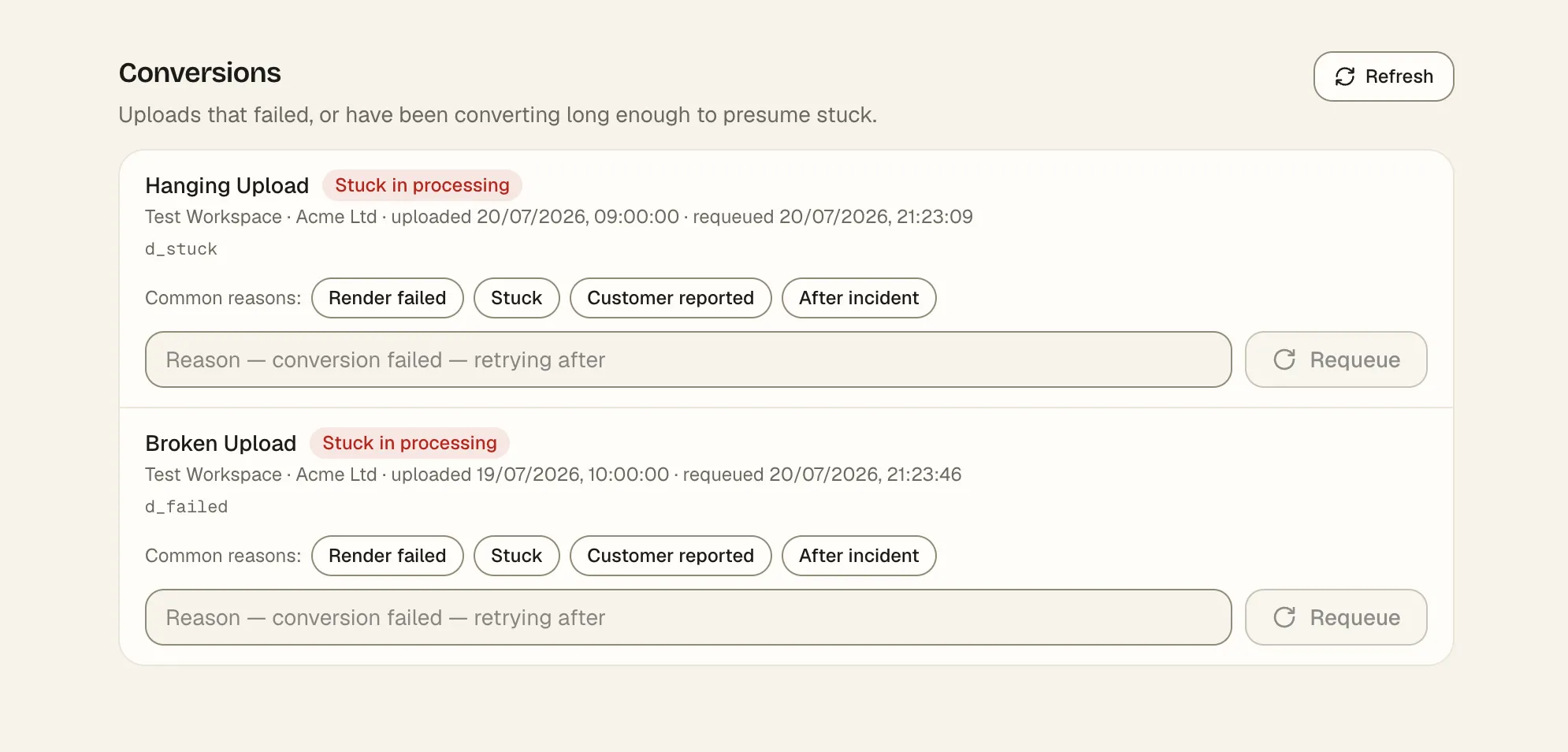
It can barely do anything. This is the part people find counter-intuitive. The back office is not a window onto the database with free rein to run whatever it likes. It can perform a short, named list of operations — the specific things a review needs — and nothing else. The safest internal tool is one that is physically incapable of the operation you’re most afraid of. You don’t rely on remembering not to do the dangerous thing; you build a tool where the dangerous thing isn’t on the menu.
Accountability, on purpose
Every action the back office takes is written down: who did it, what they did, when, and why. Some of that is for us. Most of it is because taking down someone’s work is a serious thing to do, and it should never be casual, and never anonymous.
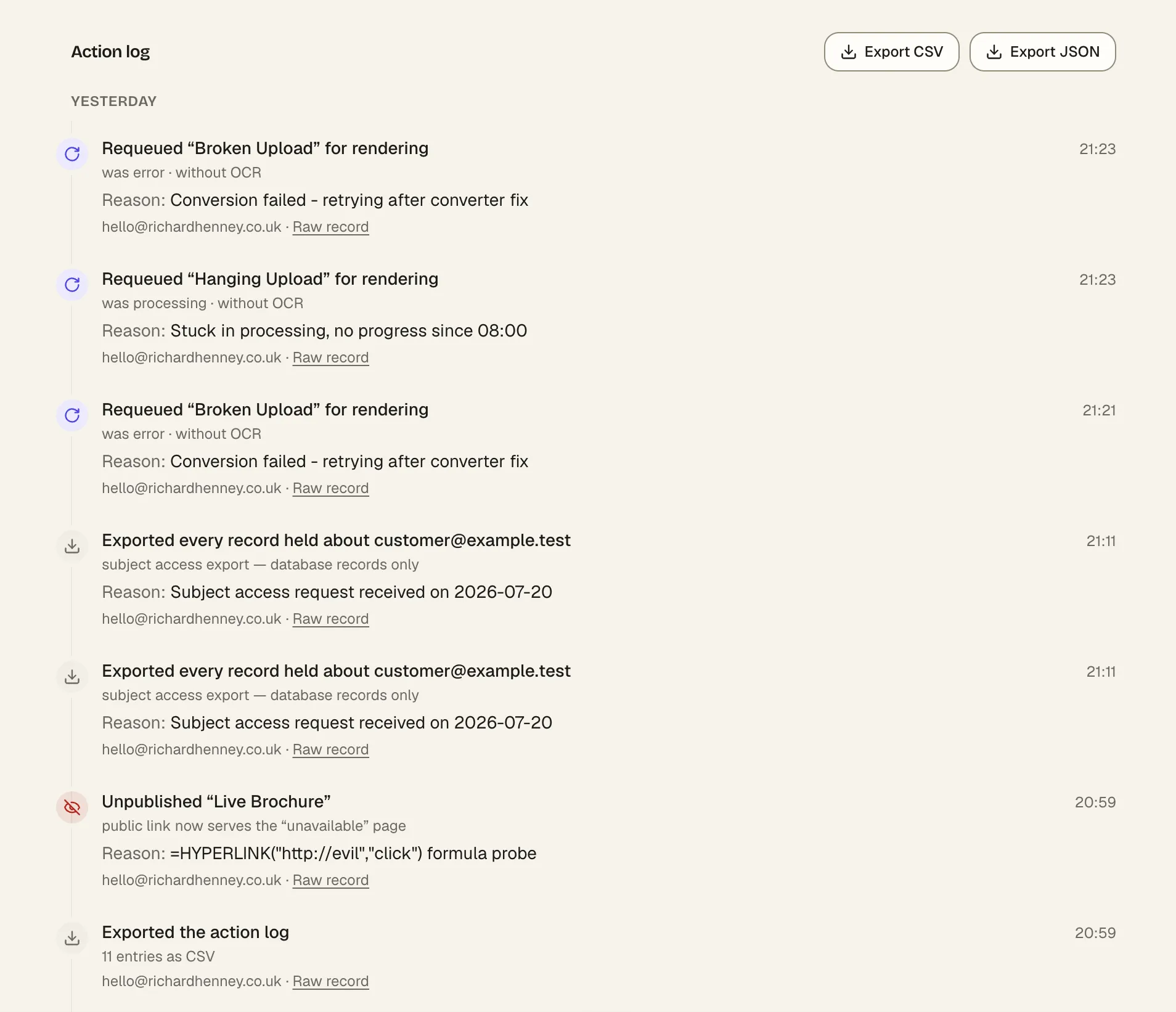
We went a step further and built templates for the reasons, too — so that the same situation gets handled the same way twice, by whoever happens to pick it up. Consistency is a feature when you’re making decisions about other people’s businesses.
And it lives behind its own locked door — a sign-in entirely separate from the one customers use. A customer’s login means precisely nothing here, by design.
The lesson
Your admin panel is the most dangerous code you will ever write, because it is the code with permission to cause harm — to your data and to your customers. Most teams treat it as an afterthought, a quick internal thing. That’s exactly backwards.
Build it like what it is. Make it separate, so it can’t hurt the main product. Make it minimal, so it can only do the few things it’s meant to. Make it accountable, so every action has a name and a reason attached. The goal isn’t a powerful back office. It’s a boring one you can trust at 2am.
Frequently asked questions
- Does Living Page act on reports of misuse?
- Yes. We publish an acceptable use policy and we act on reports against it — taking down offending documents and dealing with the accounts behind them. There is a dedicated, staff-only tool for doing that, and every action it takes is recorded.
- Who can access customer documents inside Living Page?
- Access to the internal tooling is restricted to staff, sits behind its own separate sign-in, and is deliberately limited to the specific actions a support or abuse review needs — not open-ended access. Every action is logged with who did it and why.
Read next
- How we give every document a transcriptEvery document on Living Page gets a text transcript — even scanned ones with no real text. The problem behind it, and the call that kept it fast.
- PDF Accessibility: Making Documents Anyone Can ReadWhy most shared PDFs are unreadable for screen reader, keyboard and low-vision users — and the practical fixes, from tagging to rethinking the format.
- We built a brand book, and it builds itselfWhy Living Page has its own brand site, how the design system ended up inside Claude Design, and the route a new page takes from concept to production.